
Building a Translation Termbase for a Chat Support Team
Most chat support teams buy live translation expecting one thing: a button that makes the message readable. What they get is a fluent sentence in the wrong register, an invented product name, or a promise the company never made. The gap between those two outcomes is usually not the engine. It is the absence of a termbase.
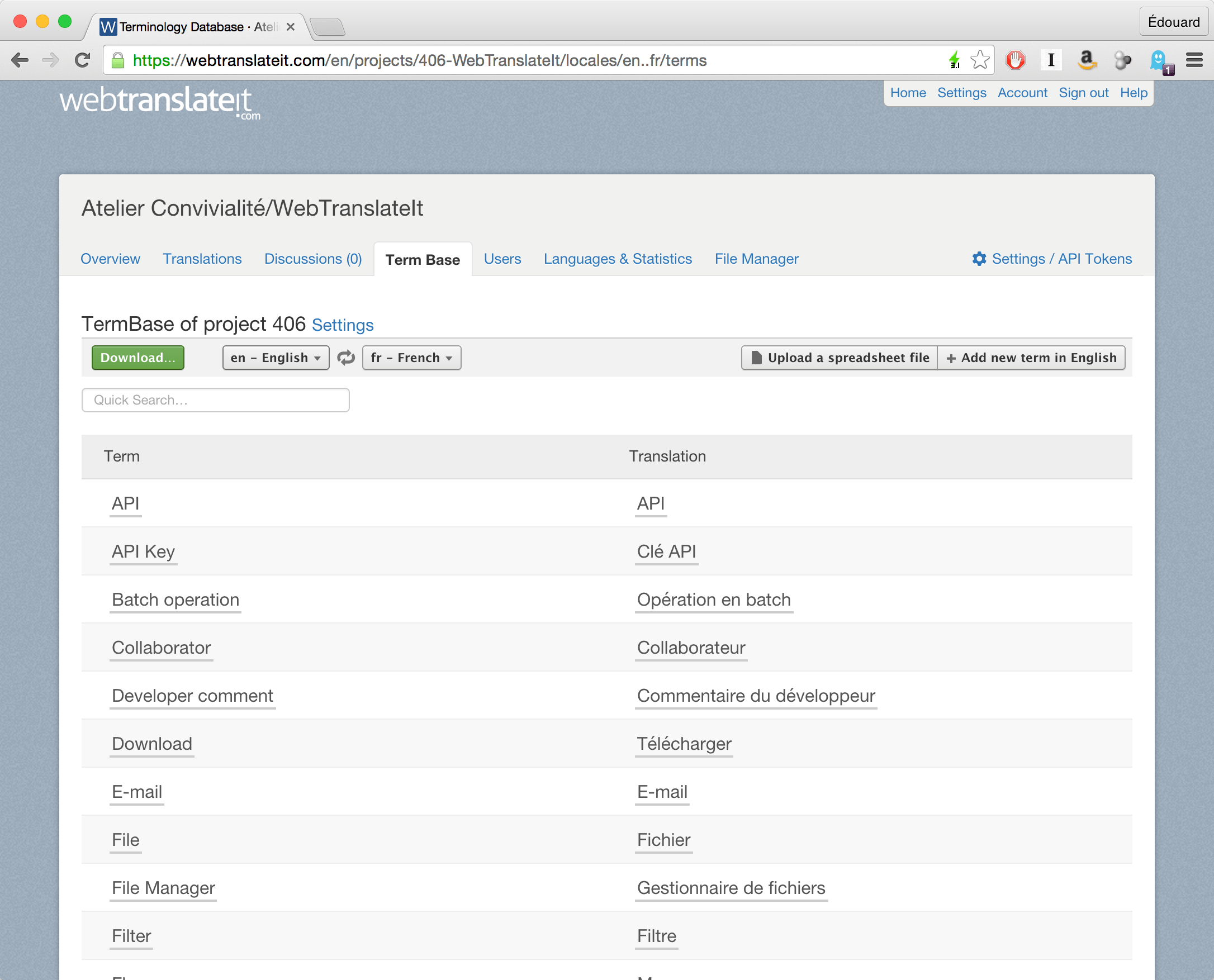
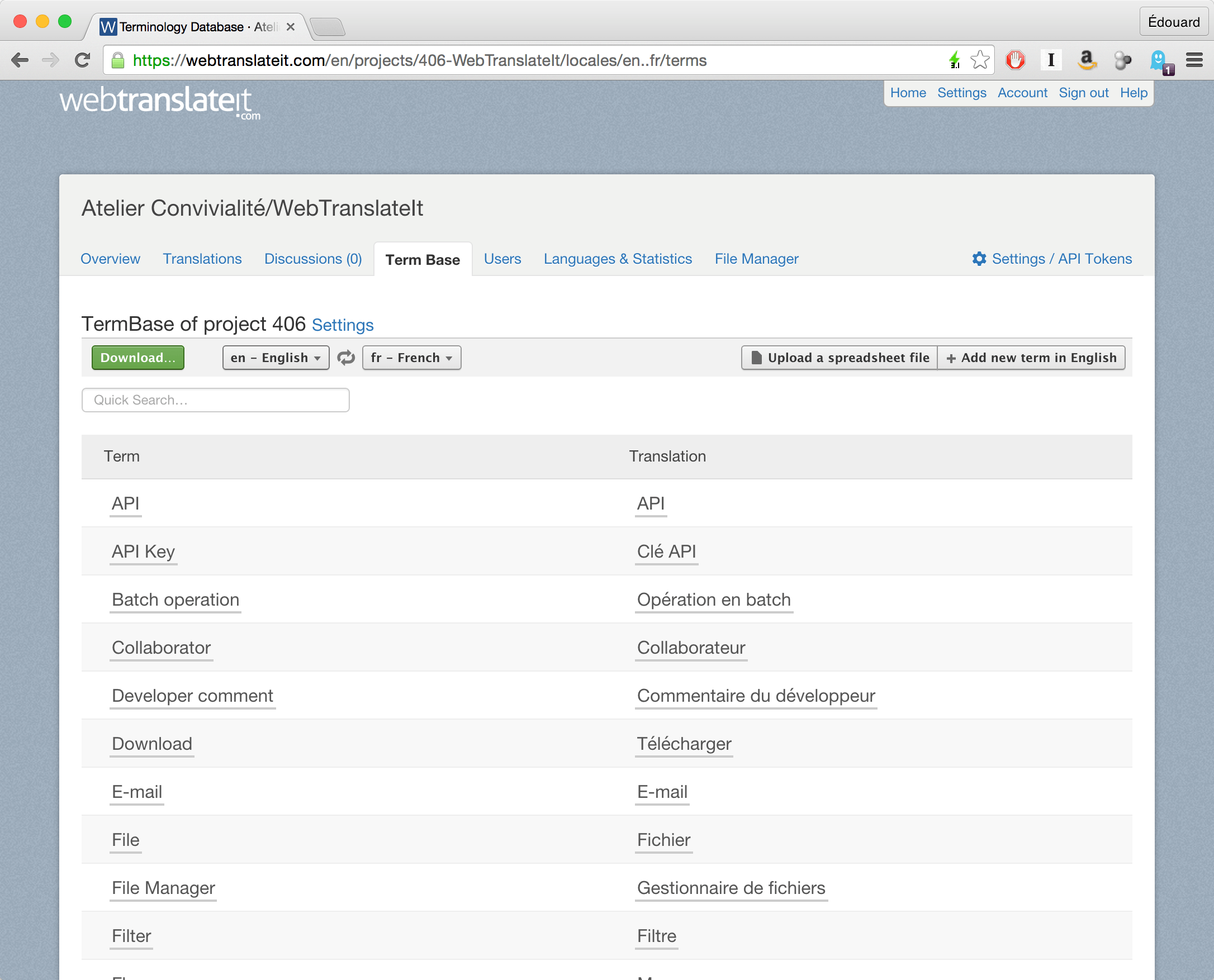
A termbase is not a glossary you build once and forget. It is the written record of what your company calls things, and it is the only place where a decision like refundable deposit means one specific thing across every language your team works in. WebTranslateIt’s product documentation describes the mechanism plainly: add frequently used terms and their translations, let translators suggest a rendering for each one, and let the team vote the suggestion up or down. The suggestion that gets voted up is the one surfaced automatically the next time the term appears.
What the termbase actually fixes
Three failures show up in multilingual chat support over and over, and all three are termbase failures wearing different clothes.
The first is inconsistent product naming. One agent’s translation renders your SKU family as bundle, another as package, a third as set. The customer reads three different words for the same thing in one week and concludes they are dealing with three different products. Nothing is technically wrong. The vocabulary is simply unowned.
The second is confident mistranslation of internal jargon. If your team says lead, MQL, fulfilment hold or chargeback window, a general-purpose engine will translate those as ordinary English words. The result reads fluently and means something else. This is the failure mode discussed at length in the quality control piece on this site: fluency is not the signal you are looking for.
The third is slow ramp-up. When there is no termbase, every new agent or new contractor re-learns the same vocabulary from scratch, usually by asking colleagues. That is expensive and it is invisible in your metrics. It shows up only as a longer time-to-first-reply in your busiest languages.
Why the voting step matters more than the term list
The useful part of a termbase is not the list of terms. It is the fact that each term has one agreed rendering that survived review. WebTranslateIt makes this explicit: a translator can enter a suggestion for a term, the suggestion is shown to the team, and the team votes it up or down. Suggestions that are voted up are surfaced more prominently, and the guidance is to find one good translation and stay consistent across the project.
That is the whole design decision in one sentence. Consistency beats variety. A team that has one reviewed rendering for its top two hundred terms will produce noticeably better output than a team with four competing renderings for each of those terms, because the reviewer attention is the scarce resource, not the vocabulary.
The same documentation makes a second point that support teams usually miss: a well-built termbase teaches the translator the project. If your product uses invented terms or highly specific vocabulary, translating the termbase is what turns a general-purpose translator into someone who understands your business. They ask fewer clarifying questions, and their output needs less post-editing.
Getting the first hundred terms right
There is a practical trap here. Teams try to enter their entire vocabulary on day one and stall. The WebTranslateIt format is simple enough to start from an existing spreadsheet: the first row must be a header, the only mandatory column is Term, the remaining columns are language codes, and the codes must match the ones used by the tool exactly — a fr-FR column in the spreadsheet stays fr-FR in the system. Optional columns cover a term description and a part of speech, and a description can carry hashtags so you can group terms once the list grows.
If a glossary already exists offline as a spreadsheet or as a TBX file, it can be uploaded rather than retyped. Either way, the constraint is the same: the term itself is mandatory and everything else is optional.
So the practical order is deliberate. Start with the terms that appear in customer messages and in your own replies every single day. Ignore the long tail until someone asks for it. If you want the downstream routing and escalation side of the operation to be coherent as well, the piece on routing a multilingual chat queue covers how detection confidence and language-based routing interact with the vocabulary problem.
The decision to make this week
If you take one thing from this, make it the owner question rather than the tool question. A termbase without a named owner becomes a spreadsheet nobody updates within two months, and a stale termbase is worse than none, because it will be trusted. Decide who can add a term, who reviews it, and what happens when a product is renamed. Those three answers are the termbase. Everything else is where it is stored. One more reason to get this order right: the termbase is the cheapest quality lever available before you consider hiring. Teams that inherit an inbox rather than building one from zero tend to inherit the vocabulary problem along with it, which is why the ownership question comes up again in the shared inbox ownership model — an unowned inbox produces an unowned glossary just as reliably as it produces an unanswered question.


